| 02/01/2025 | |
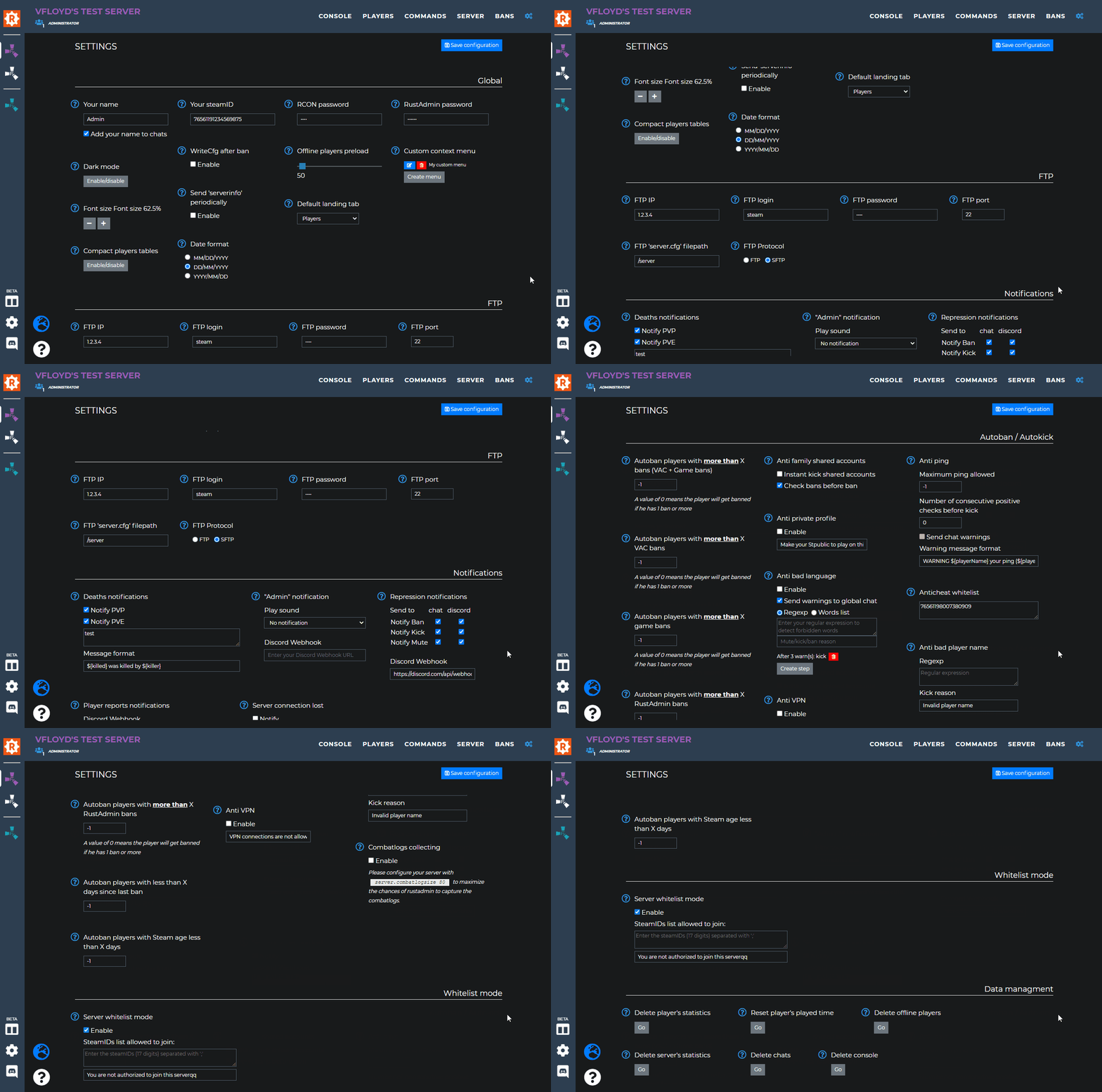
| - Added a new setting to notify Unban actions to game chat and/or Discord webhook. | |
| 31/12/2025 | |
| - Added a new settings entry to reset players strikes (all or older than X days). | |
| 19/12/2025 | |
| - Added a new settings category: 'On server wipe'. Currently, only one action is available, but feel free to suggest additional actions you'd like Rustadmin to perform when it detects a server wipe. | |
| 10/11/2025 | |
| - Updated plugins updates check. Rustadmin is now compatible with rustmods.com. | |
| 26/10/2025 | |
| - Fixed resetting player's data being counted as a strike for them. | |
| 16/10/2025 | |
| - Added new beacon ${gameDateTime} to be used with scheduled and triggered commands. The time is accurate to within 30 seconds in real life. | |
| 15/10/2025 | |
| - Added new beacon ${lastWipeDate} to be used with scheduled and triggered commands. | |
| 08/04/2025 | |
| - Added 'Remove all IP bans' button (only available to owners and co-owners). A confirmation is asked when clicking on this button. | |
| 31/03/2025 | |
| - Fixed the delay when setting a player marker color. | |
| 29/03/2025 | |
| - Fixed plugins updates checker not working when having more than one Game4Freak plugin to check. | |
| 21/03/2025 | |
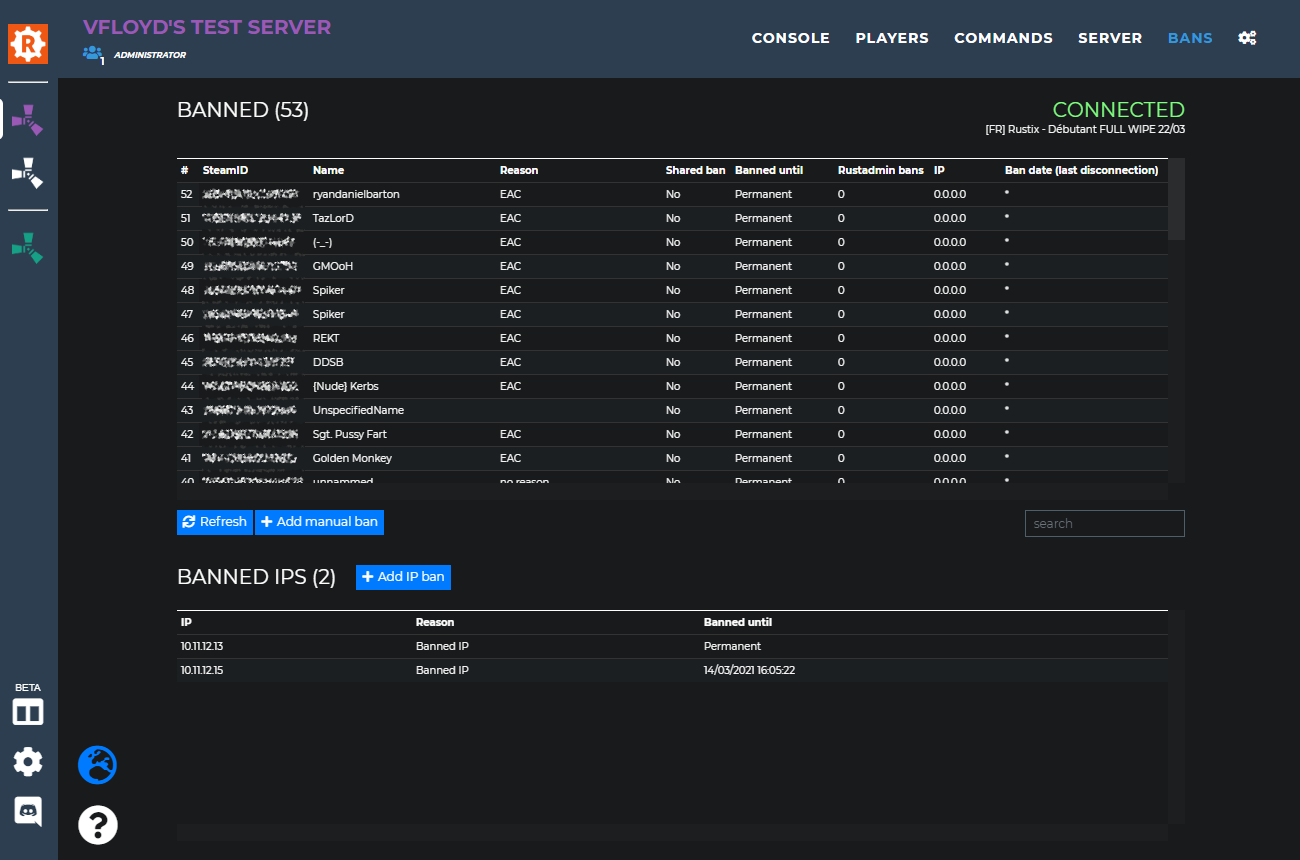
| - Updated the bans tab. The banslist export button is now only visible to owners and co-owners. This is not a 'security' measure per se, as the bans table is still visible to moderators with the 'Ban/Unban' permission. The goal is simply to make exporting less convenient. | |
| 19/03/2025 | |
| - Fixed moderators without 'Teams infos' permission being able to see Team chats when running a search through chats. | |
| 18/03/2025 | |
|
- Added RustAdmin account usernames next to moderator display names in the chat message window. This feature is only visible to owners and co-owners, making it easier to identify who sent a message.
- Updated plugins updates check. Rustadmin is now compatible with game4freak.io.
- Removed rustplugins.net plugins update checker support as rustplugins.net is no longer maintained.
- Updated the 'Chat' permission. It is now required to even be able to see/read chats. Previously, not having the 'Chat' permission only prevented the moderator to send chat messages. Sidenote : you can also control wether a moderator is able to see the teams chats by giving them the 'Teams infos' permission or not. If a moderator has the 'Chat' permission but doesn't have the 'Teams infos' permission, he will only be able to see the global chat and not the team chats. | |
| 16/03/2025 | |
| - Fixed sorting issue on plugins list when sorting based on up to date status. | |
| 24/02/2025 | |
| - Added new settings 'Tables use a monospace font' to restore the previous font for tables (performance improvement of the last update a bit lowered if restore the previous font). - Improved performances. - Fixed players sometimes showing as both online and offline. | |
| 13/01/2025 | |
| - Added confirmation on kill action from the contextual menu. | |
| 20/12/2024 | |
| - Added new contextual menu item to reset player strikes. | |
| 08/12/2024 | |
| - Added Export/import features on scheduled and triggered commands. | |
| 31/10/2024 | |
| - Added new 'Default connection path' setting to allow you to choose the default directory that should be loaded when you start browsing your server files via the FTP browser. | |
| 24/10/2024 | |
| - Updated the 'command' bar from the console tab. When typing it will now show previous commands that were used in the past. | |
| 19/10/2024 | |
| - Updated the 'admin' notification. It will no longer be triggered when some plugins add [admin] as part of players names. | |
| 09/09/2024 | |
| - Fix attempt on scientist kills being detected as PVP after the last Rust update. - Updated plugins updates check. Rustadmin is now compatible with modpulse.com. | |
| 29/07/2024 | |
| - Added ignore list for 'Admin' notifications. You can also ignore a player by right clicking him in the players lists and use 'Ignore Admin chat notifications'. | |
| 19/05/2024 | |
| - Fixed some compatibility issues regarding combatlogs and certain plugins. - Fixed plugins list loading errors after the last Carbon update. | |
| 16/05/2024 | |
| - Updated plugins updates check. Rustadmin is now compatible with skyplugins.ru. | |
| 09/05/2024 | |
| - Added the possibility to select which columns should be displayed in the plugins table. | |
| 07/05/2024 | |
| - Removed duplicated column in the plugins table. | |
| 28/04/2024 | |
| - Added export/import feature to the console command bookmarks dialog. | |
| 17/04/2024 | |
| - Added option to kick instead of banning a player with steam account age less than X days. | |
| 16/04/2024 | |
| - Added new option to avoid checking for plugin updates for custom plugins. - Added clickable link on player's steamID to quickly open their steam profile page. | |
| 11/04/2024 | |
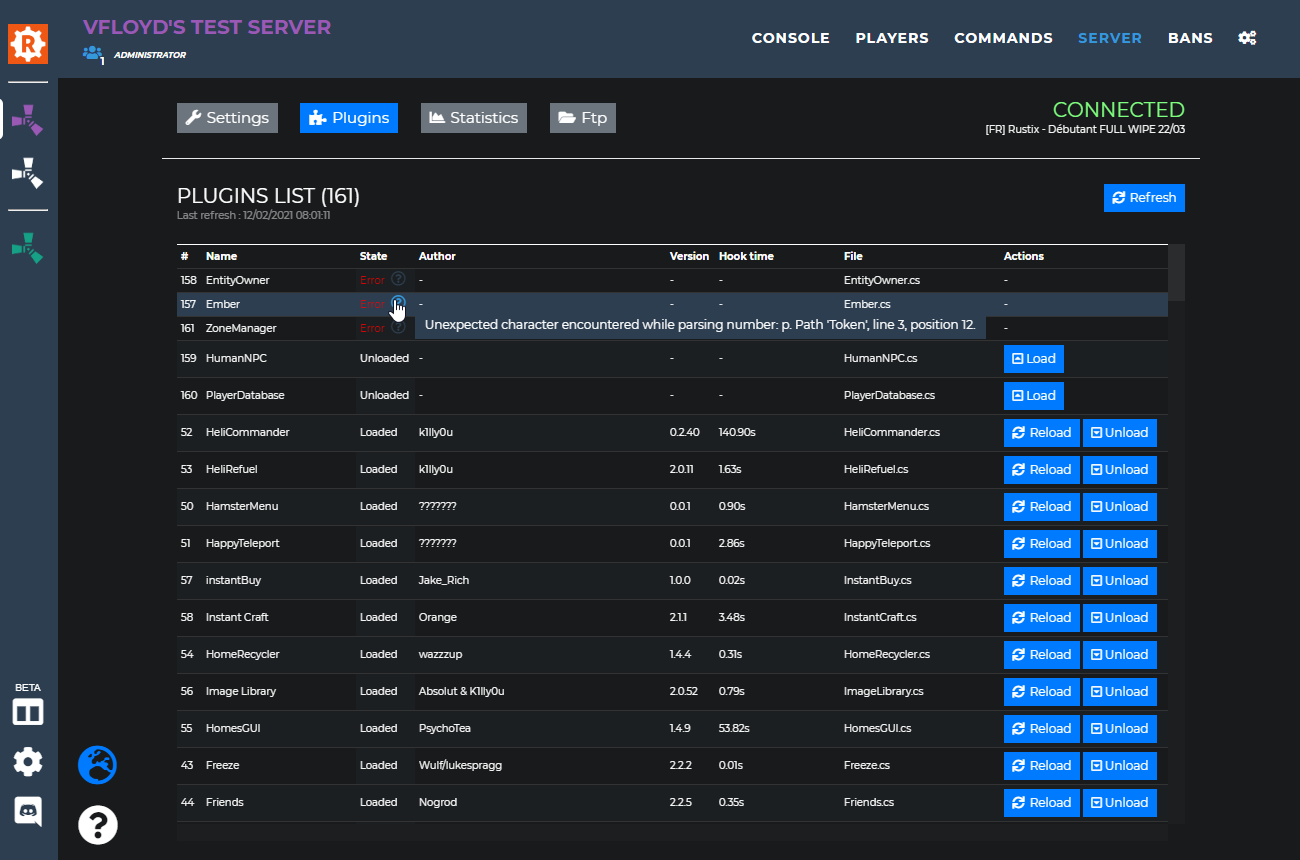
| - Added 'Memory used' column to the plugins table - Fixed plugins list not loading after the last Carbon update | |
| 09/04/2024 | |
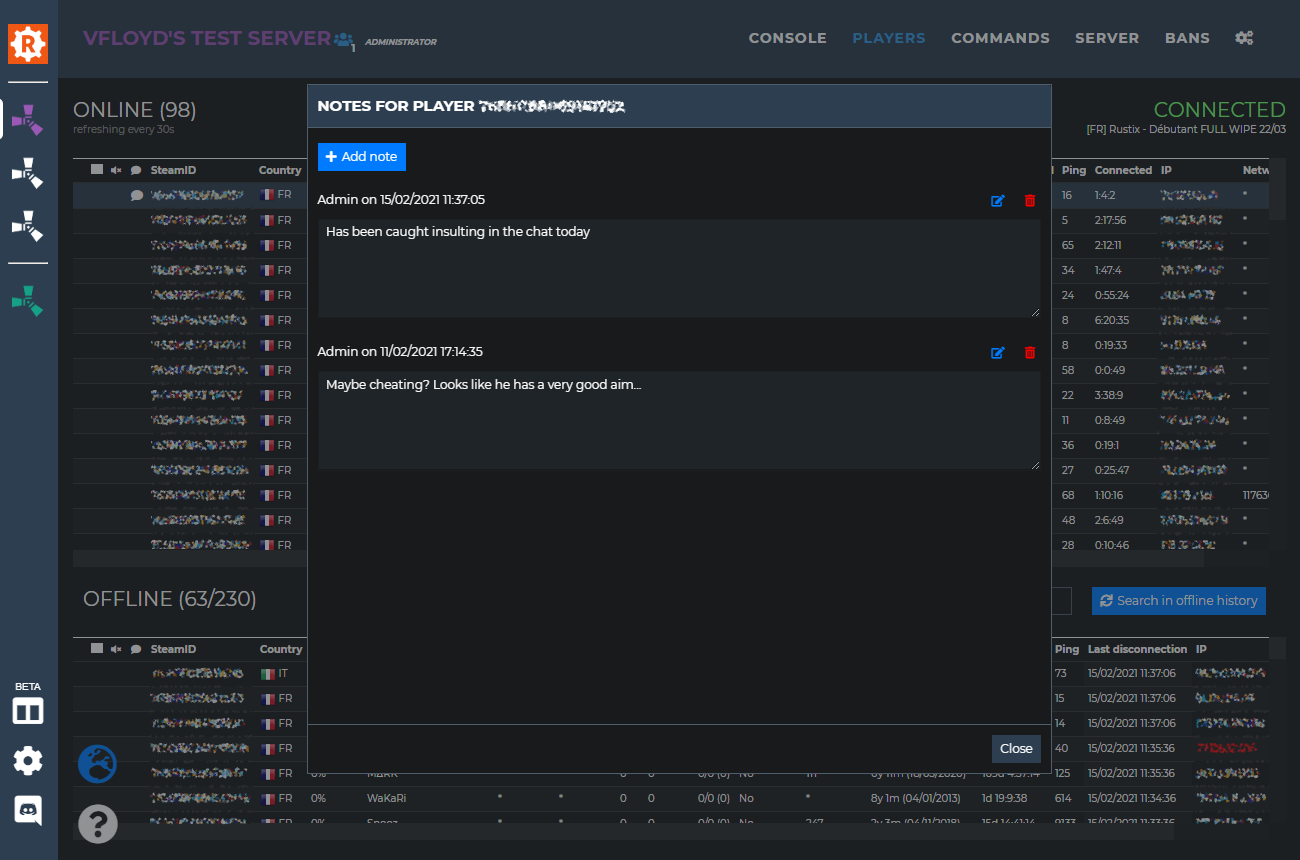
| - Added new option when adding notes to players to choose whether the note should be added only to one or to all servers at once. | |
| 31/03/2024 | |
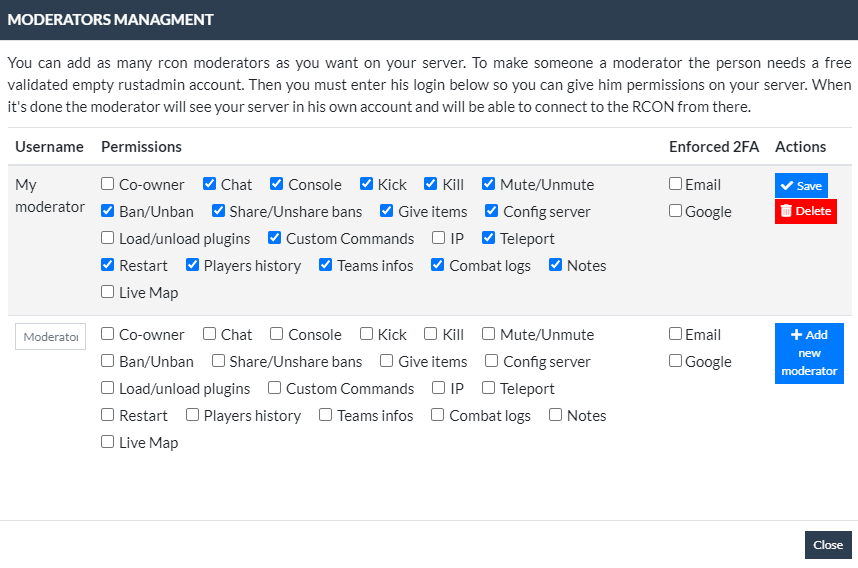
| - Added new parameters to 'On PVP kill' triggered command. You can now specify for which killer(s) the command will run and for which killer(s) it won't. - Added new moderator permission 'Full players list'. When the permission is granted, the moderator has access to the 'players' tab and can see all players information. When a moderator doesn't have this permission, he can only interact with the light players list from the console tab. | |
| 02/03/2024 | |
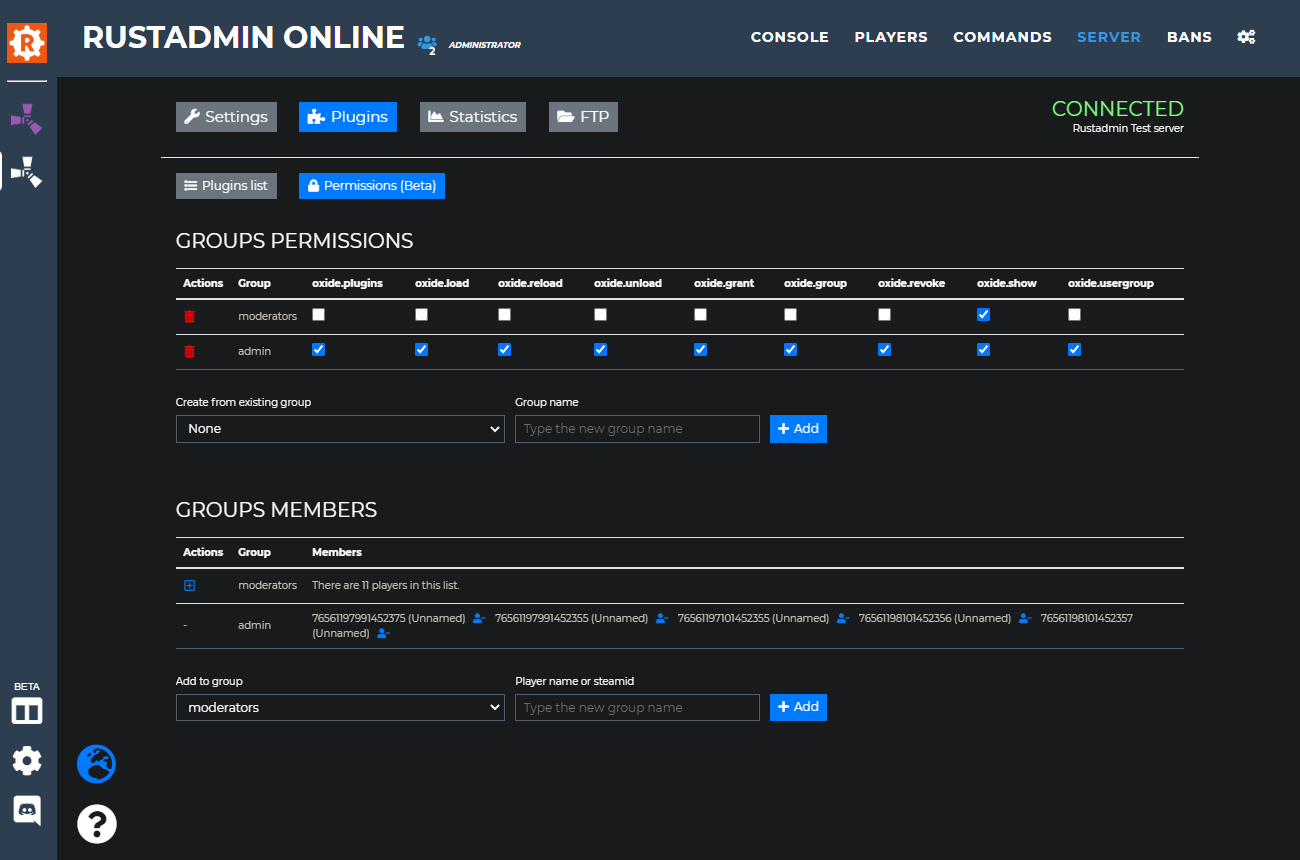
| - Added Carbon support to the plugins permissions manager. | |
| 22/02/2024 | |
| - Fixed Oxide plugins list reading after Oxide update 2.0.6126. | |
| 20/02/2024 | |
| - Fixed plugins list not always properly refreshing with Carbon. | |
| 12/12/2023 | |
| - Added Estonian translation. Huge thanks to for his great work! | |
| 04/11/2023 | |
| - Updated livemap history size to keep 12 hours history. - Updated items list. | |
| 17/10/2023 | |
| - Fixed various issues with the carbon plugins list. | |
| 13/10/2023 | |
| - Fixed moderators not being able to set players markers for admins having multiple servers. | |
| 10/10/2023 | |
| - Added ${killerID} and ${killedID} beacons to be used with On PVP/PVE kill triggered commands. - Updated players notes and players markers so that they are set accross all your servers. This applies only to notes and markers set after the update. - Fixed 'activity' lines not showing activity type and event source in the chrono log (in the player's history dialog). | |
| 03/10/2023 | |
| - Added Swedish translation. Huge thanks to for her great work! | |
| 29/09/2023 | |
| - Added triggered commands examples. | |
| 26/09/2023 | |
| - Fixed some PVE kills not being detected. Scientist kills are now counted as PVE deaths. - Updated items list. | |
| 04/08/2023 | |
| - Fixed empty teams bug after last Rust update. | |
| 31/07/2023 | |
| - Added new endpoint 'get-player' to the Rustadmin Online API. - Fixed manual IP ban not taking the 'global' option into account. | |
| 27/07/2023 | |
| - Fixed application crash when a players search returns thousands of results. | |
| 17/06/2023 | |
| - Added new beacon ${playerIP} to be used with triggered commands. | |
| 16/06/2023 | |
| - Updated Rcon moderators management UI. It is now possible to add/update/delete moderators on multiple servers at once. | |
| 15/05/2023 | |
| - Updated items list. | |
| 08/05/2023 | |
| - Added Korean translation. Huge thanks to for his great work! - Added new triggered commands 'On PVP Event' and 'On PVE Event'. - Added the possibility to reorder the custom contextual user menus. | |
| 01/04/2023 | |
| - Added truncated lines notion in consoles to increase the readability. The truncated lines can be clicked to show their non truncated version. - Fixed chat history sometimes not loading/preloading when there are no recent chats recorded. | |
| 01/04/2023 | |
| - Added Portuguese translation. Huge thanks to for his great work! - Fixed players contextual menu sometimes not showing up on touch devices. | |
| 31/03/2023 | |
| - Fixed Oxide plugins hook times always 0. | |
| 28/03/2023 | |
| - Added Carbon support. Only the plugins list is supported for now. The permissions manager is not yet compatible. | |
| 23/03/2023 | |
| - Added new setting for custom context menus to let you specify if Rustadmin should as for a confirmation before executing a command. - Added Japanese translation. Huge thanks to for his great work! | |
| 21/03/2023 | |
| - Added Spanish translation. Huge thanks to for his great work! | |
| 20/03/2023 | |
| - Fixed Oxide permissions manager not loading when group names contain these characters: [] | |
| 11/03/2023 | |
| - Added Danish translation. Huge thanks to for his great work! - Added IP range bans. - Added the possibility to use ::postwebhook in the players custom context menus. The syntax is the same as for triggered commands. | |
| 10/03/2023 | |
| - Added German translation. Huge thanks to for her great work! | |
| 06/03/2023 | |
| - Added Dutch translation. Huge thanks to for his great work! - Fixed multiple issues with missing/bugged translations. | |
| 27/02/2023 | |
| - Updated plugins updates check. Rustadmin is now compatible with rustplugins.net. - Fixed scheduled commands not properly rescheduled when the execution date occurs when Rustadmin is disconnected from the server or the command is disabled. | |
| 24/02/2023 | |
| - Added new setting to customize the Discord notifications logo. | |
| 11/02/2023 | |
| - Updated items list. | |
| 18/01/2023 | |
| - Added notifications system on user banned/unbanned. The notification ensures that the ban/unban operation has been taken into account by your server. | |
| 11/01/2023 | |
| - Updated plugins updates check. Rustadmin is now compatible with myvector.xyz. | |
| 30/12/2022 | |
| - Added current oxide version and automatic oxide update check in the Plugins list tab. | |
| 29/12/2022 | |
| - Updated plugins updates check. Rustadmin is now compatible with umod.org, codefling.com, lone.design and chaoscode.io. | |
| 28/12/2022 | |
| - Updated plugins updates check to make it faster. | |
| 22/12/2022 | |
| - Added search bar in the oxide permissions manager to search for players in groups. | |
| 21/12/2022 | |
| - Updated items list. - Updated 'Once' scheduled commands type. When creating a scheduled command of type 'Once' and passing a time > current time, the command is scheduled to be executed the next day at the given time instead of giving an error. - Added new button on scheduled commands to execute the command now. This will not change the next execution date and time that was already planned. - Fixed multiple Discord ban notifications. - Fixed globan unban sometimes not unbanning the player's IP on all servers. | |
| 05/12/2022 | |
| - Added language selection in the settings. For now, french, chinese (Thank you !) and english are available. - Updated items list. - Fixed missing PVE kills events. | |
| 07/10/2022 | |
| - Fixed incorrect player number of rustadmin shared bans. - Added shared bans categories. You now need to select a ban category before sharing a rustadmin ban. The shared bans rules have also been re-specified (check the ban sharing dialog). - Added shared bans categories selection on Autoban based on Rustadmin bans rule. The autoban rule will only count the bans from the selected categories. By default no categories are selected, which means that the autoban based on Rustadmin bans is disabled. Please go to the settings tab to select the shared bans categories that matters to you. - Updated the style of the settings tab. - Fixed PVP and PVE kills not being recorded after the last Rust server update. | |
| 21/08/2022 | |
| - Rollback on the plugins update check for now since checking the author is actually causing more issues than not. | |
| 19/08/2022 | |
| - Added extra check against plugins authors when checking for an available update to avoid confusing plugins with the same name. For now, Rustadmin Online still only supports umod.org for checking plugins updates. If you know other plugins platforms please contact @vfloyd on Discord. | |
| 11/07/2022 | |
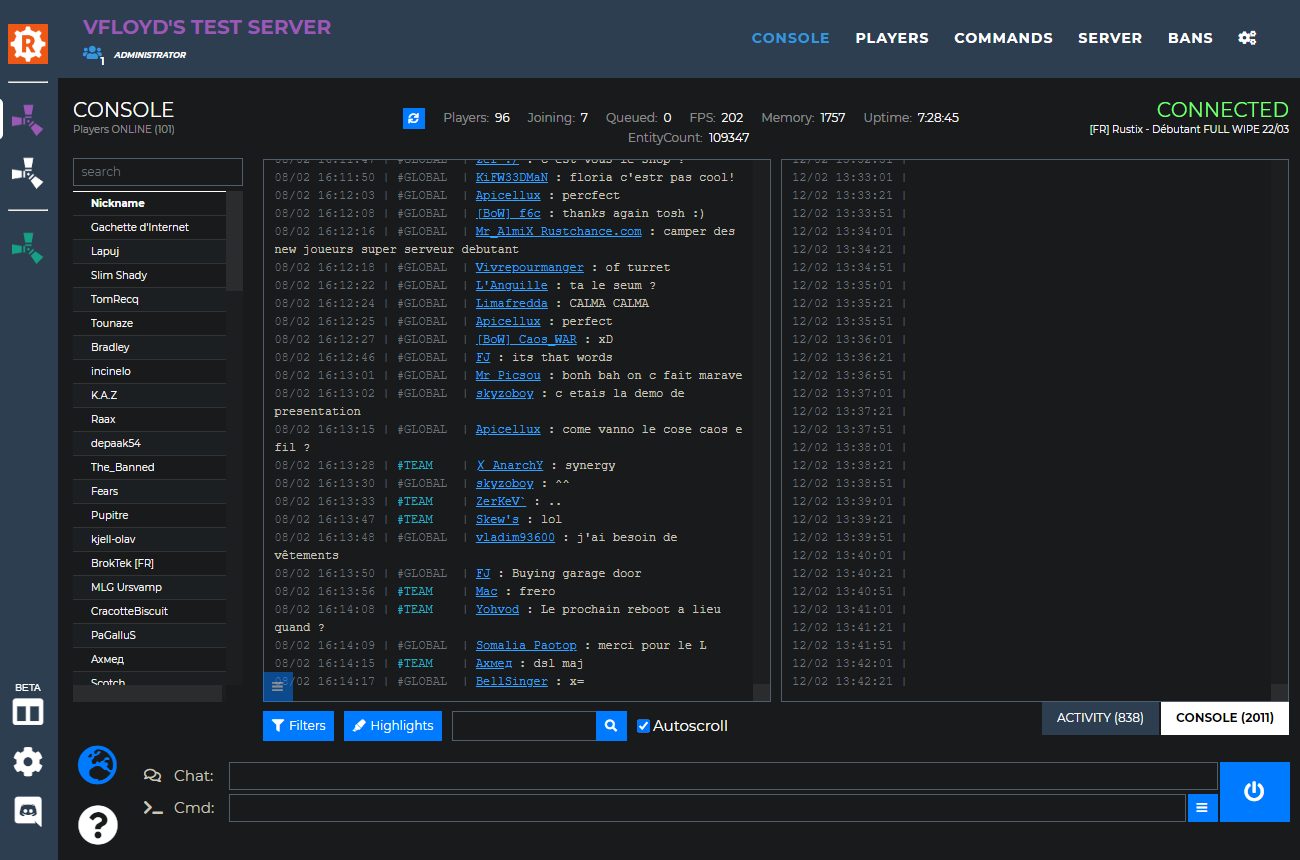
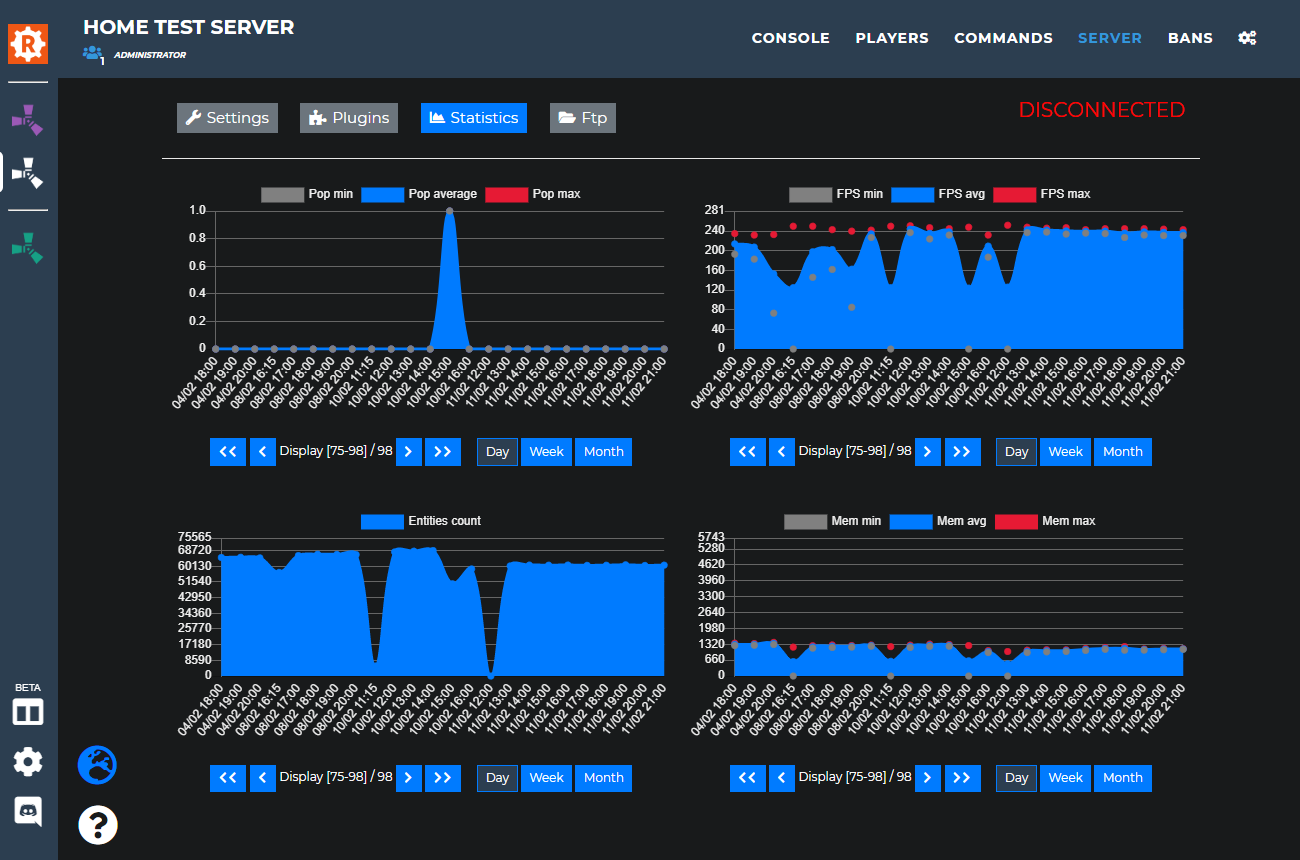
| - Added new button in the console tab to display the console or chat in fullscreen instead of side by side. - Updated ban and timed ban dialogs. The checkbox to also ban the target player's IP will no longer be automatically checked if the player's IP has been detected as a VPN IP. - Added new graph to the statistics page showing the number of unique players who connect to your server. | |
| 01/07/2022 | |
| - Added new triggered command type handling Bradley APC spawn. | |
| 30/06/2022 | |
| - Added the possibility to update oxide group permissions on all your servers at once. Hold the Ctrl key while clicking on a permission to apply the change globally. | |
| 24/06/2022 | |
| - Added year when displaying players oldnames history. - Added scrollbar on players oldnames dialog. | |
| 21/06/2022 | |
| - Added two buttons to be able to send chats and commands on the mobile version. | |
| 20/06/2022 | |
| - Added two new notifications sounds. | |
| 08/06/2022 | |
| - Updated items list. | |
| 23/05/2022 | |
| - Added new players table column "First connection". Rustadmin Online will now remember the very first time each player has been seen on a server. | |
| 18/05/2022 | |
| - Fixed Custom Context Menus always needing the IP permissions on moderators to be working. | |
| 16/05/2022 | |
| - Added new option to automatically ban players IPs who have triggered a Rustadmin autoban rule. | |
| 06/05/2022 | |
| - Rollback on previous fix for android devices. Was causing more issues and solved nothing. - Updated items list. - Fixed return key not sending chat and console inputs to the server on android devices. - Fixed wrong number of reports in the player report discord notification. | |
| 07/04/2022 | |
| - Fixed "Player's team" contextual menu entry not showing when not using the Rustadmin plugin. - Added "Search TeamID" to the players contextual menu. | |
| 01/04/2022 | |
| - Added new option (enabled by default) to automatically unban players hit by the "Autoban players with less than X days since last ban" setting when their last ban is older than the limit. This will work only for future bans. - Added total number of reports on discord player report notifications. | |
| 21/03/2022 | |
| - Added clickable link on players tables Reports column to quickly displayed the players reports. - Added confirmation popup when trying to delete a scheduled or triggered command. - Added text highligthing on mouse over history commands. | |
| 15/03/2022 | |
| - Updated livemap. Better readability of players labels. | |
| 14/03/2022 | |
| - Fixed input fields frozen after using features asking for a confirmation before continuing. | |
| 10/03/2022 | |
| - Updated livemap. It can now be opened in a separated window also when using the desktop application. The window is also resizable. | |
| 21/02/2022 | |
| - Added country whitelist/blacklist feature. | |
| 16/02/2022 | |
| - Added new button to enable/disable a console filter. - Added filter to quickly search oxide permissions in the oxide permissions manager. - Added player report notification ignore list. | |
| 08/02/2022 | |
| - Updated console and chat bars display to avoid typping commands in chat and vice versa. | |
| 04/02/2022 | |
| - Added multiple copy options for the players team dialog. - Fixed plugins updates check. | |
| 03/02/2022 | |
| - Updated items list. | |
| 29/01/2022 | |
| - Added last disconnection date to the player team dialog. - Added new button to team dialog. It allows you to copy the players to the clipboard. - Fixed player team dialog not properly displayed for huge teams. - Updated items list. | |
| 16/01/2022 | |
| - Fixed Oxide groups containing + sign causing the groups to not show in the oxide permissions tab. | |
| 14/01/2022 | |
| - Fixed Rustadmin players profile page due to recent abuse. IPs will not be available anymore. | |
| 30/12/2021 | |
| - Fixed console being scrolled all the way up by default on mobiles. - Updated items list. | |
| 15/12/2021 | |
| - Added confirmation dialog when giving items to all players. | |
| 06/12/2021 | |
| - Added new option for Custom Contextual Menus. You can now get the output of the command in a dialog box instead of having it in the console. | |
| 25/11/2021 | |
| - Updated "Go to Rustadmin profile" contextual menu. For owners and co-admins, this option leads to a new web page allowing you to search through all the players known by Rustadmin Online. | |
| 23/11/2021 | |
| - Updated items list. | |
| 17/11/2021 | |
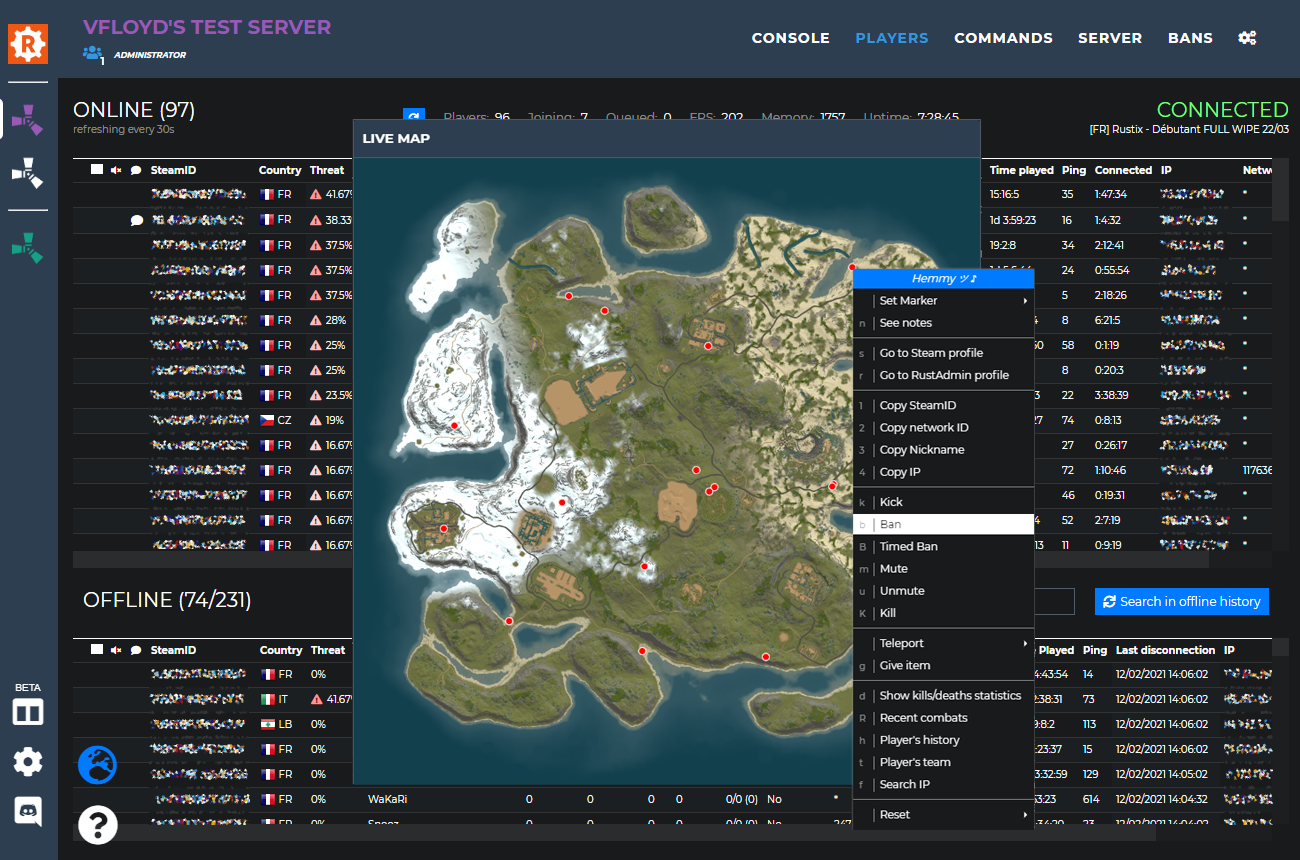
| - Added players positions history for the livemap. A one hour history is stored. It is not persistent over as page/app reloading for now. | |
| 16/11/2021 | |
| - Added support for FTPS (explicit and implicit) as well as SFTP with certificate authentication. | |
| 15/11/2021 | |
| - Added new setting to send a notification to a discord webhook when a new IP collision is detected (a player connects with an IP that has already been used). | |
| 13/11/2021 | |
| - Fixed another case of outdated plugin false detection. | |
| 10/11/2021 | |
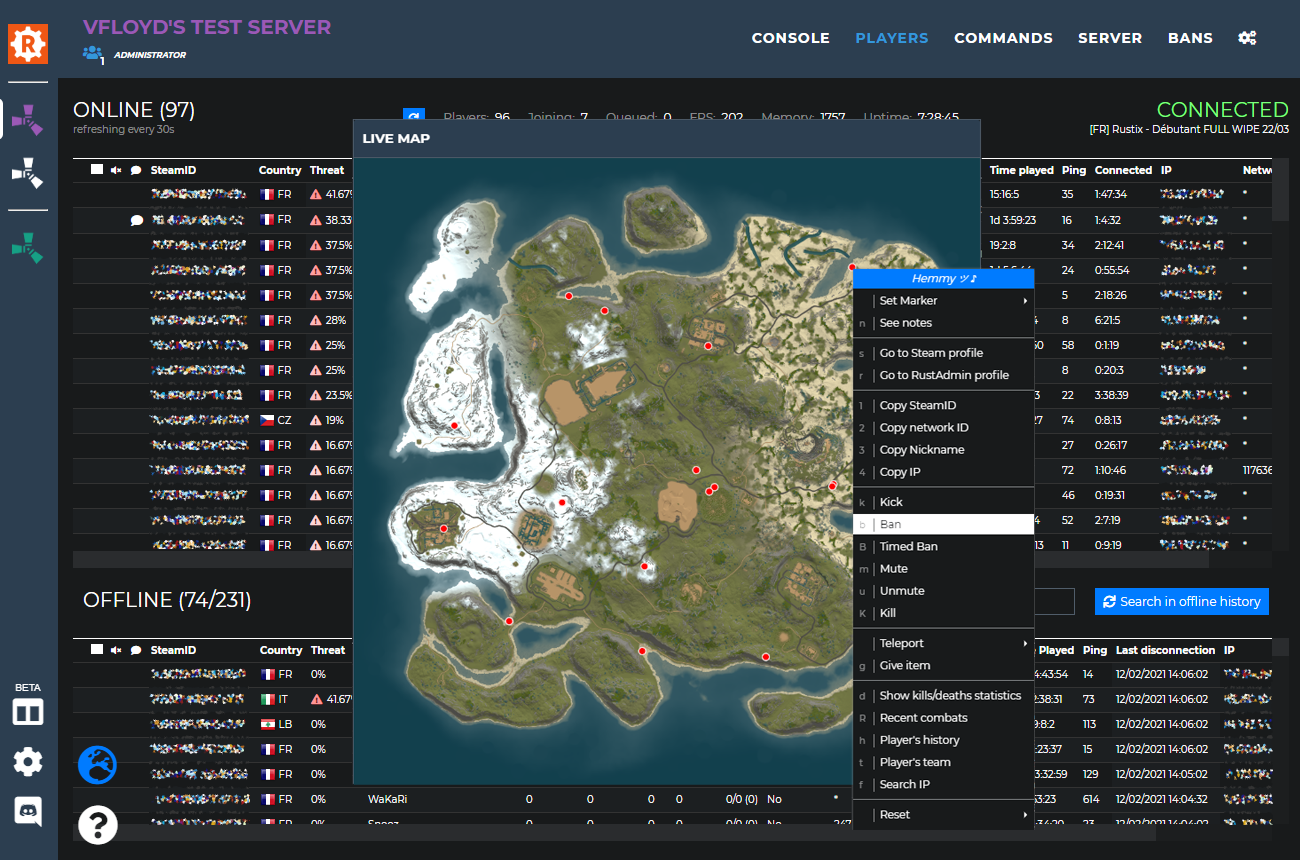
| - Updated Live Map. Players in the same team are displayed with the same color. Players with no team or with no teamates connected are displayed white. Zooming the map now shows the players name below their circle. | |
| 09/11/2021 | |
| - Fixed plugins versions checking. If a plugin with the version 2.0.0 is in use and the version 1.0.0 is available on umod, the plugin will no longer be marked as outdated. | |
| 03/11/2021 | |
| - Added an echo of the commands typed in the console. | |
| 28/10/2021 | |
| - Fixed incorrect popup warning on non global commands. - Added global triggered and scheduled commands (premium users only since it requires to have several servers connected with Rustadmin Online). Commands created as global are edited/enabled/disabled/deleted on all your instances at once. | |
| 22/10/2021 | |
| - Added On cargo ship triggered command. - Added On chinook drop triggered command. | |
| 06/10/2021 | |
| - Updated the button to refresh the livemap is now only visible to admins and co-owners. - Added new beacon ${maxPlayers} to be used with triggered and scheduled commands. - Updated "WriteCfg after ban" setting so the command is also executed when players are unbanned. - Fixed WeekDays scheduled commands executed at invalid date depending on users timezones. | |
| 11/09/2021 | |
| - Fixed multiple issues with the Oxide permissions manager. | |
| 06/09/2021 | |
| - Added the live map to the mobile version. It can be opened from the players tab. - Added back the external live map feature on the browser app. | |
| 02/09/2021 | |
| - Added search bar to find lines in console/chat/activity search results. - Fixed FTP file edition adding spaces between all characters. | |
| 01/09/2021 | |
| - Updated custom context menus to make them shareable with your moderators. - Added search bar for the plugins table. | |
| 18/08/2021 | |
| - Added "data sharing" system. You can now choose to share your banslist on each of your servers. When accessing the Rustadmin shared bans page for a player, you will also be able to see on which Rustadmin Online servers a player has been banned. | |
| 17/08/2021 | |
| - Added "upload file" button in the FTP tab - Fixed various FTP issues when writing files | |
| 16/08/2021 | |
| - Added new option to ban from the Team details dialog | |
| 11/08/2021 | |
| - Added keyboard shortcuts to switch tabs. Ctrl-1 = Console, Ctrl-2 = Players... | |
| 07/08/2021 | |
| - Fixed teleport menu not available from the console tab. | |
| 06/08/2021 | |
| - Updated items list. | |
| 28/07/2021 | |
| - Added new menu entry to unban a player globally accross all your servers. - Fixed teamID field not matching searches. | |
| 27/07/2021 | |
| - Updated top menu bar to behave better on window resize. It is also more convenient to use on mobile. | |
| 26/07/2021 | |
| - Fixed players names not being clickable to request the names history when the table line is a search result. | |
| 22/07/2021 | |
| - Added Anti VPN whitelist and Players reports whitelist in the settings tab. | |
| 17/07/2021 | |
| - Added "Connected" column in the offline players table. Remember that you can show/hide columns in tables by right-clicking the column name. | |
| 12/07/2021 | |
| - Added new button to export your bans list to a bans.cfg file readable by your rust server. - Added ${playerJoining} variable to be used with the scheduled and triggered commands. | |
| 09/07/2021 | |
| - Added new "Reset->Pvp kills" contextual player menu entry. | |
| 07/07/2021 | |
| - Added new "Ban across all my servers" contextual menu entry on banslist. | |
| 05/07/2021 | |
| - Updated items list. | |
| 02/07/2021 | |
| - Fixed commands not rescheduling when the server connection is down at the time their execution. | |
| 01/07/2021 | |
| - Fixed bad handling of oxide group names containing the character '-'. Was causing the oxide permissions module to not show anything. | |
| 23/06/2021 | |
| - Added plugins update auto check. The 'version' column in the plugins table will now show if an update is available for each plugin that can be found on umod.org. | |
| 18/06/2021 | |
| - Added console spam warning when servers send hundreds of lines per seconds. It prevents Rustadmin from hanging and helps you guys fixing the issue on server side. | |
| 17/06/2021 | |
| - Added grid to the live map. - Updated nickname history dialog with a "summary" mode to remove the duplicates. | |
| 11/06/2021 | |
| - Fixed reports sometimes not being posted to discord webhook. - Fixed contextual menu not showing on players/bans lists for MacBook users not having a mouse. You can now show the menu with Ctrl-click. | |
| 11/05/2021 | |
| - Added a button to force the redraw of the live map background. | |
| 07/05/2021 | |
| - Updated Oxide groups members are now displayed collapsed if they are more than 10. - Added Oxide groups and permissions manager (Server->Plugins->Permissions). This feature is in beta for now and has been tested on only one empty test server so it is likely that it has some bugs to be fixed. | |
| 30/04/2021 | |
| - Removed all family share related columns/fields/settings since Rust doesn't support it anymore. | |
| 23/04/2021 | |
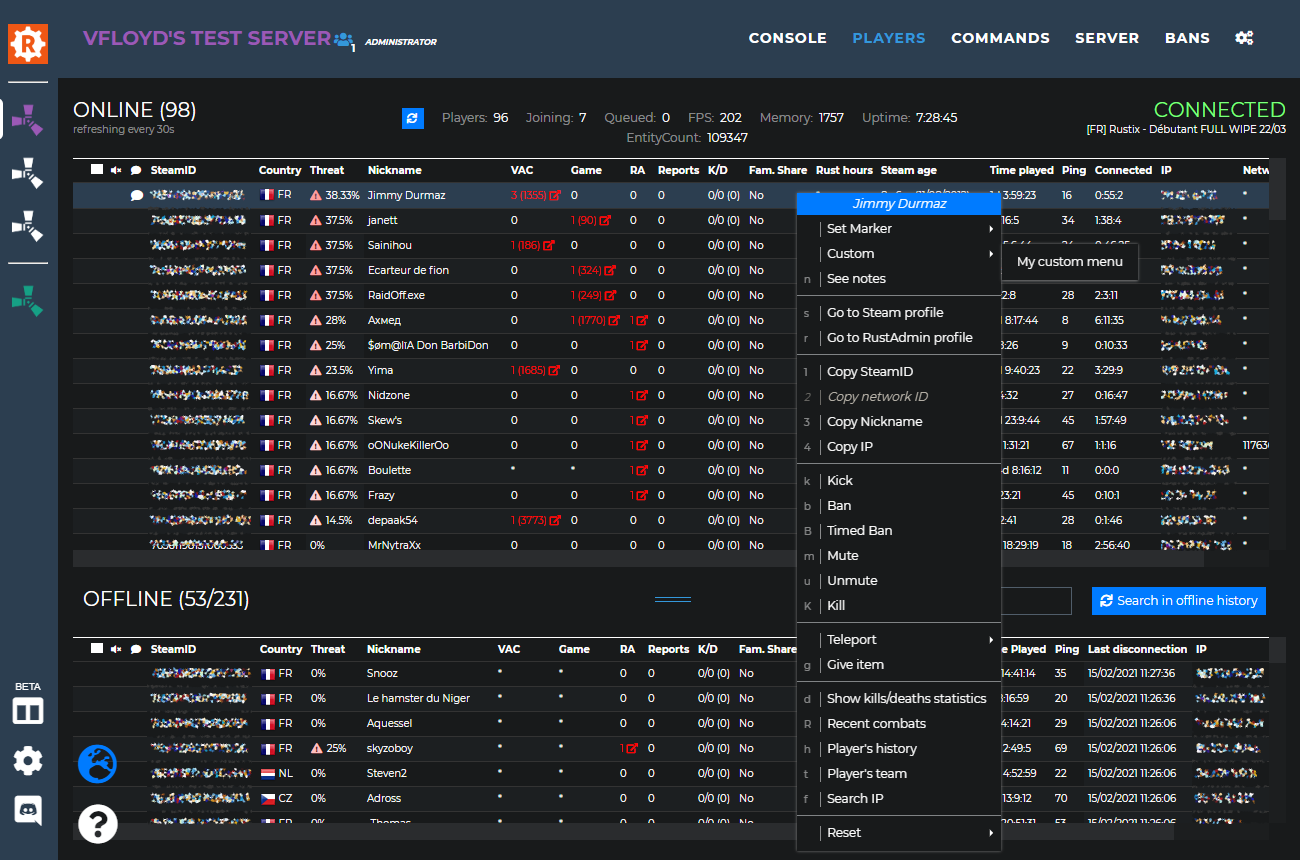
| - Updated players tables. Columns can now be hidden. Right click on a column title to select the columns that you want to display or hide. | |
| 20/04/2021 | |
| - Fixed Admin notification webhook not working when using the trigger on "Admin". - Updated Admin notification settings. It is now possible to choose if you want to trigger on "admin" or "!admin". | |
| 19/04/2021 | |
| - Updated kits. They are now saved accross all devices. | |
| 16/04/2021 | |
| - Added new players table column 'Strikes'. It shows the total number of times that a player got hit by a ban/kick/mute. Click on a strikes number to get the strikes details. | |
| 15/04/2021 | |
| - Updated players offline table. Banned players are now striked. - Updated the combatlogs collection. The hits times are no one tenth of a second accurate instead of one second. This update will only affect the combatlogs collected in the future, it won't add the time precision on the combatlogs already stored. - Updated the FTP browser to load the current directory '.' by default instead of the server.cfg path. | |
| 14/04/2021 | |
| - Added an option to the Ban dialog. When you check the option "Ban player IP" you can also choose if this the IP ban emitted will also ban the associated steam account or not. | |
| 13/04/2021 | |
| - Fixed moderators login showing in the chat repression notifications. - Updated discord notifications layout. - Updated offline players search to also search through teamIds. | |
| 12/04/2021 | |
| - Added 'Ban steam' column to the IPs bans list. 'True' means that a player connecting with the banned IP will have his steam account banned from the server as well. 'False' means that he will just get kicked, without receiving a ban. - Added 'Ban author' column to the bans list to show the admin or moderator who has banned a player. The information will only be available for the future bans. | |
| 07/04/2021 | |
| - Updated commands history dialog. It is now possible to bookmark commands and execute them directly from the history dialog. - Added new chat filter corresponding to the talks at the poker table. | |
| 18/03/2021 | |
| - Updated items list - Fixed 'OnChat' triggered commands not working in Team chat | |
| 18/03/2021 | |
| - Fixed 'OnChat' triggered commands being triggered by SERVER CONSOLE messages - Fixed 'Connected' and 'Time Spent' columns not being updated when using the Rustadmin plugin | |
| 16/03/2021 | |
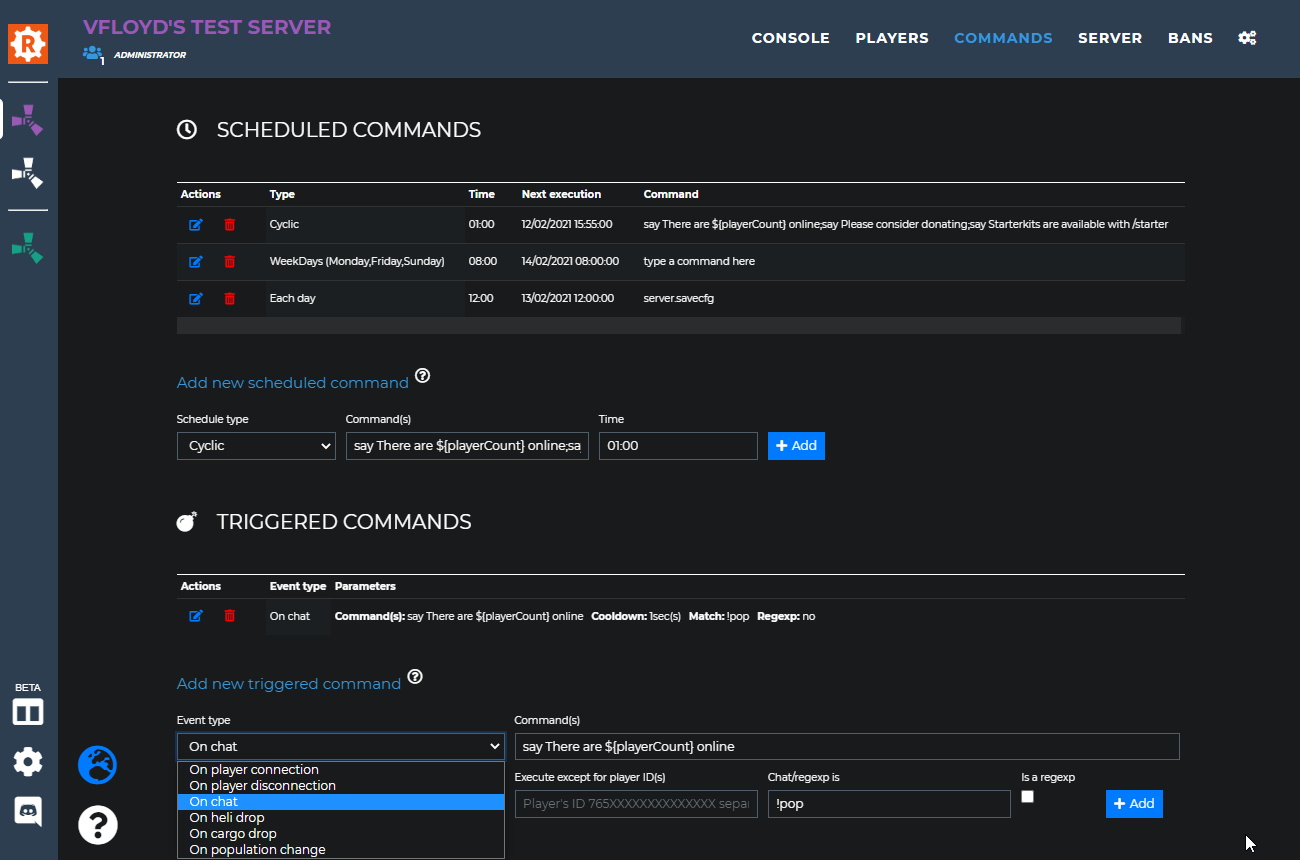
| - Added the possibility to disable/enable the triggered and scheduled commands | |
| 15/03/2021 | |
| - Added back FTP features | |
| 14/03/2021 | |
| - Added back Global commands in the console tab - Added back setting "Custom contex menu" - Added back setting "Default landing tab" - Added back setting "Server connection lost" - Added back setting "Send 'serverinfo' periodically" - Added back custom color picker for player markers and console highlights | |
| 10/11/2020 - 12/03/2021 | |
| DATA LOST IN OVH FIRE | |
| 10/11/2020 | |
| - Added a search field to the give items dialog. You can now create your give list all buy using the keyboard. Start typing your item's name, browse the suggestions with arrow UP/DOWN, press enter when the right item is selected. The focus automatically goes to the quantity box, use UP/DOWN arrows to set the quantity then press enter. The item is added to the current give list and the focus goes back to the search field so you can add more. | |
| 08/11/2020 | |
| - Added new items. | |
| 27/10/2020 | |
| - Fixed anticheat whitelist not used by autoban based on steam account creation date. | |
| 27/10/2020 | |
| - Added new items. | |
| 26/10/2020 | |
| - Added reports count in players tables. - Increased performances. | |
| 19/10/2020 | |
| - Removed the daily maintenance. | |
| 19/10/2020 | |
| - Added icon in the navigation bar to see the users currently connected to your instance. - Updated the daily maintenance so it is faster. Still scheduled everyday at 8:00 UTC. | |
| 17/10/2020 | |
| - The "set comment" option for players becomes "see notes". The player comments have been reworked to be more elaborated. You can now see who has written a comment and when. Each moderator has the ability to edit/delete their own notes. The moderators need the "Notes" permission in order to be able to see/create notes. Your old comments have been converted to notes. - Added an option to choose wether or not your Rustadmin username should be added as a chat prefix. - Fixed an issue that could cause IPs to disappear from the players tables. - Fixed "Autoban players with more than X game bans" and "Autoban players with more than X bans (VAC + Game bans)" not being applied to family shared accounts. | |
| 14/10/2020 | |
| - Updated chat filters (global and team), your selection is now persistent over a tab re-opening. - Added 2 keybinds for Teleport Player to Me (shift-p or P) and Teleport Me to Player (shift-m or M) - Updated the Anti Bad Language feature. You can now create steps for your punishments according to how many times the players trigger the Anti Bad Language. For people who had it configured already you need to configure it again so it works. - Fixed mute reason missing in the Activity logs and the Discord notifications. | |
| 06/10/2020 | |
| - Updated items list. | |
| 16/09/2020 | |
| - Updated moderators now need the "Teams info" permission to be able to see the teams chat. | |
| 15/09/2020 | |
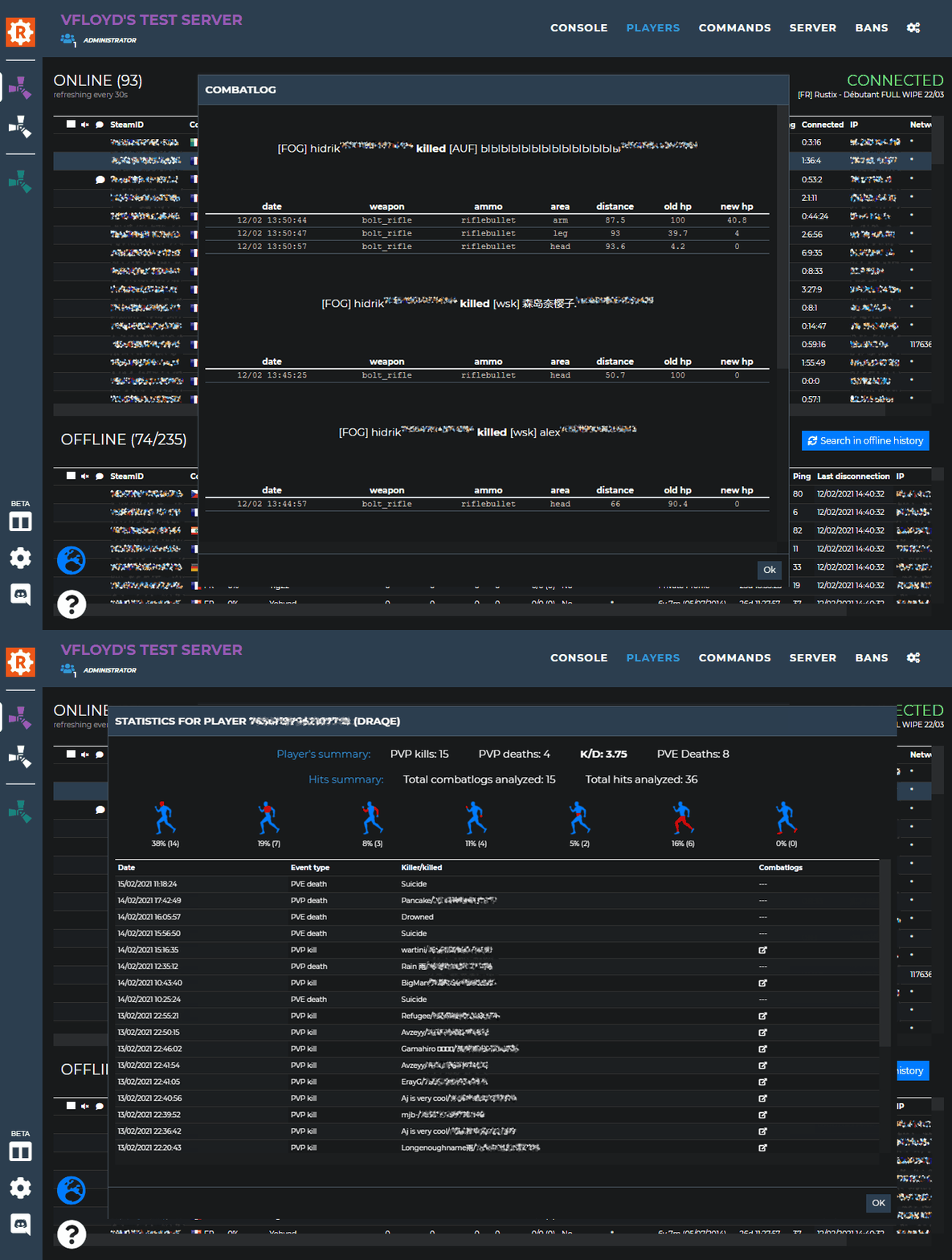
| - Added combatlogs analysis to calculate the hit percentage per body part. Accessible from the players contextual menu, entry "Show kills/deaths statistics". - Fixed missing player reports. | |
| 09/09/2020 | |
| - Added chat filters to select the visibility of Global/Team chat lines. Team chat is now hidden by default. - Updated console tab display. - Fixed bans not appearing as shared just after a ban share. - Added error popup if an operation fails when trying to share/unshare bans. The popup gives some details about what went wrong. - Updated sleeper kills won't count in the K/D indicator anymore. The K/D should also be more consistent now. | |
| 09/07/2020 | |
| - Updated items list. | |
| 08/20/2020 | |
| - Fixed bans not being applied for players using a family shared game. | |
| 08/17/2020 | |
| - Fixed combatlogs collecting to make it 'hopefully' more reliable (first attempt). - Added setting to select the dates display mode (day/month or month/day). - Fixed the Combatlogs permission is no longer needed to be able to use the Player history for moderators. | |
| 08/13/2020 | |
| - Updated items list. | |
| 07/30/2020 | |
| - Added keyboard shortcuts to quickly use the features from the players contextual menu. Click a player to highlight him and then press the key associated with the feature you want to use. | |
| 07/29/2020 | |
| - Fixed anti private profile not being activatable - Fixed keywords not being properly saved/restored | |
| 07/28/2020 | |
| - Fixed bad formatting of the player report discord notification | |
| 07/27/2020 | |
| - Added keywords highlighting for console and chat panels. Add colors and play sounds when matched words arrive in the chat or in the console - Added player reports collection (F7 reports ingame). Player reports (emitted and received) will now be listed in the player's history dialog. It is possible to configure a webhook to send the notification to when a report is detected (check the settings tab) | |
| 07/23/2020 | |
| - Added options to specify a message and a delay when using the server restart button. - Added a resize grip (double bars) in between the two players tables to resize them dynamically. | |
| 07/22/2020 | |
| - Added permission "Players history" for moderators. Allows them to use the "Player's history" menu entry. - Added permission "Teams" for moderators. Allows them to use the "Player's team" menu entry. - Added permission "Combat logs" for moderators. Allows them to use the "Recent combats" and "Show kills/deaths statistics" menu entries. | |
| 07/20/2020 | |
| - Fixed players not getting kicked when their name is detected as invalid by the 'Anti bad player name'. - Fixed global bans not working. | |
| 07/17/2020 | |
| - Added new feature to kick players with an incorrect name. Feel free to ask for help on discord with the regular expressions. | |
| 07/16/2020 | |
| - The 'show threat details' entry has been removed from the player contextual menu. You can now just click on a threat indicator to show the calculation details. | |
| 07/15/2020 | |
| - You can now ban/unban players and player's IPs accross all your servers. If a moderator uses this feature the ban will be recorded on each server the moderator is allowed to ban on. | |
| 07/13/2020 | |
| - Fixed some PVP kills not being detected due to the server reporting the kill with a wrong (maybe older?) player name. - Added full contextual player menu when rightclicking a player name directly in the chat. | |
| 07/10/2020 | |
| - Updated items list to include items from the Summer DLC. | |
| 07/09/2020 | |
| - Added new feature, you can now get the information of which team a player is in and who are the team members (access from contextual player menu) - Fixed co-owners not being able to change the settings as they should - Added new configuration field to choose how many offline players are preloaded in the players tab when you connect to the RCON (Ex: set this value to 100 to have the 100 most recently disconnected players preloaded in the offline players list). The higher you set it, the more lags you will get when the players list is refreshed (every 30secs). This value doesn't impact the recording of offline players. They will still all be recorded. The offline players not listed in the offline players list are still accessible via a manual search.. - Added a new permission "co-owner" giving the same access level as the admin has. - Updated the discord and activity notifications will now show the "Your name" from the settings for admins who have set it. - Updated it is now possible for admins to set the "Your name" setting to blank. | |
| 07/08/2020 | |
| - Added new configuration field to change the format of the death notifications (the default is still "Player1 was killed by Player2"). - Added an option the disable the combatlogs collection. - Added a button to restart the server in the console tab. You must give the appropriate permission for the moderators to be able to use it. - Fixed discord webhook repression messages not showing the moderator's name that did the action. | |
| 07/07/2020 | |
| - Released desktop application for Rustadmin Online : Download. - Fixed triggered commands not working. | |
| 07/06/2020 | |
| - Updated items list. - Added the option to edit scheduled and triggered commands. - Added ${playerPing} variable to be used with the "OnChat" triggered commands. - Added new field "Execute except for player ID(s)" to triggered commands. | |
| 06/30/2020 | |
| - Added "Anti VPN" feature. Rustadmin will automatically kick players with an IP detected as VPN. Warning: the VPN detection is never 100% accurate. Use this feature with caution. - Added Teleport permission of moderators. - Added mute reason for BetterChatMute users. - Fixed Timed mute notifications spam in activity log. - Added permission IP for moderators. They have it by defaults and it allows them to see player's IPs. | |
| 06/29/2020 | |
| - Timed mutes implementation. Uses BetterChatMute if the plugin is loaded by the server, otherwise rustadmin deals with the mutes expirations. | |
| 06/23/2020 | |
| - Added commands history to the command bar in the console tab. Use down and up arrow to browse the history. | |
| 06/12/2020 | |
| - Added a real VPN detection (the old one was almost never detecting anything) | |
| 06/04/2020 | |
| - Added new feature, rustadmin will now automatically collect the combatlogs from your server when a PVP kill occurs. The most recent logs for each players will be available from the player's contextual menu. The Player's history dialog will give access to all the combat logs recorded associated with their corresponding kills. | |
| 05/25/2020 | |
| - Fixed PVP kills sometimes not being recorded. - Added new possible action "Ban" when detecting bad language in chat. | |
| 05/23/2020 | |
| - Fixed "Teleport player to Me" and "Teleport Me to player" features sometimes not working. - Added new informations in the console tab's header. - Added new graph to show your server memory usage. | |
| 05/22/2020 | |
| - Added feature "Anti private profile". Rustadmin can be configured to automatically kick players not having their Steam profiles set as Public. Check the settings tab. - Added feature "Autoban players with Steam age less than X days". Rustadmin can be configuraed to automatically ban players having a Steam profile that has been created less than X days ago. Check the settings tab. | |
| 05/20/2020 | |
| - Added new feature Anti Bad Language (check the settings tab) | |
| 05/19/2020 | |
| - Added new permission "Console" for moderators. They will no longer be able to read the console and activity logs unless you give them the "Console" permission. - Added "Teleport to position" option to the player contextual menu. Also added the possibility to save tp locations by names. - "Trust factor" from 0 to 20 (the higher the safer) becomes "Threat" from 0 to 100% (the lower the safer). No changes to the calculation method. - Added the possibility to send the repression notifications to a discord webhook. - Added new scheduled command type "Week days". All details written in the scheduled commands documentation. - Added the possibility to post a message to a discord webhook when executing a triggered command. All details written in the triggered commands documentation. - Added new scheduled command type "Week days". All details written in the scheduled commands documentation. - Added "Kill" option to the player contextual menu. Moderators need to have the "kill" permission in order to use this entry. - Added FTP IP field in the settings tab. | |
| 05/14/2020 | |
| - Added feature "Teleport player to Me" and "Teleport Me to player" (access from contextual player menu). You need to configure your steamID in the settings tab to make it available. - Fixed mute/unmute feature not working. | |
| 05/13/2020 | |
| - Added new column "Trust factor" indicator to players tables. Access the trust factor details via the contextual player menu. | |
| 05/12/2020 | |
| - Added new button to manually add a ban on a player ("Add manual ban" in the bans tab) - Added new column in bans table to show the date when the ban has been applied. | |
| 05/06/2020 | |
| - Added new setting to send "Admin" notifications to a discord channel. | |
| 05/05/2020 | |
| - Added new setting to enable repression notifications. | |
| 05/04/2020 | |
| - Added new players table column "Steam Age" to indicate the player's steam account creation date. | |
| 05/03/2020 | |
| - Added new setting to enable a compact mode. It configures the players tables to waste less space and display more informations. | |
| 05/01/2020 | |
| - Fixed player marker sort. - Reworked UI for better performances and better display on mobile. | |
| 04/29/2020 | |
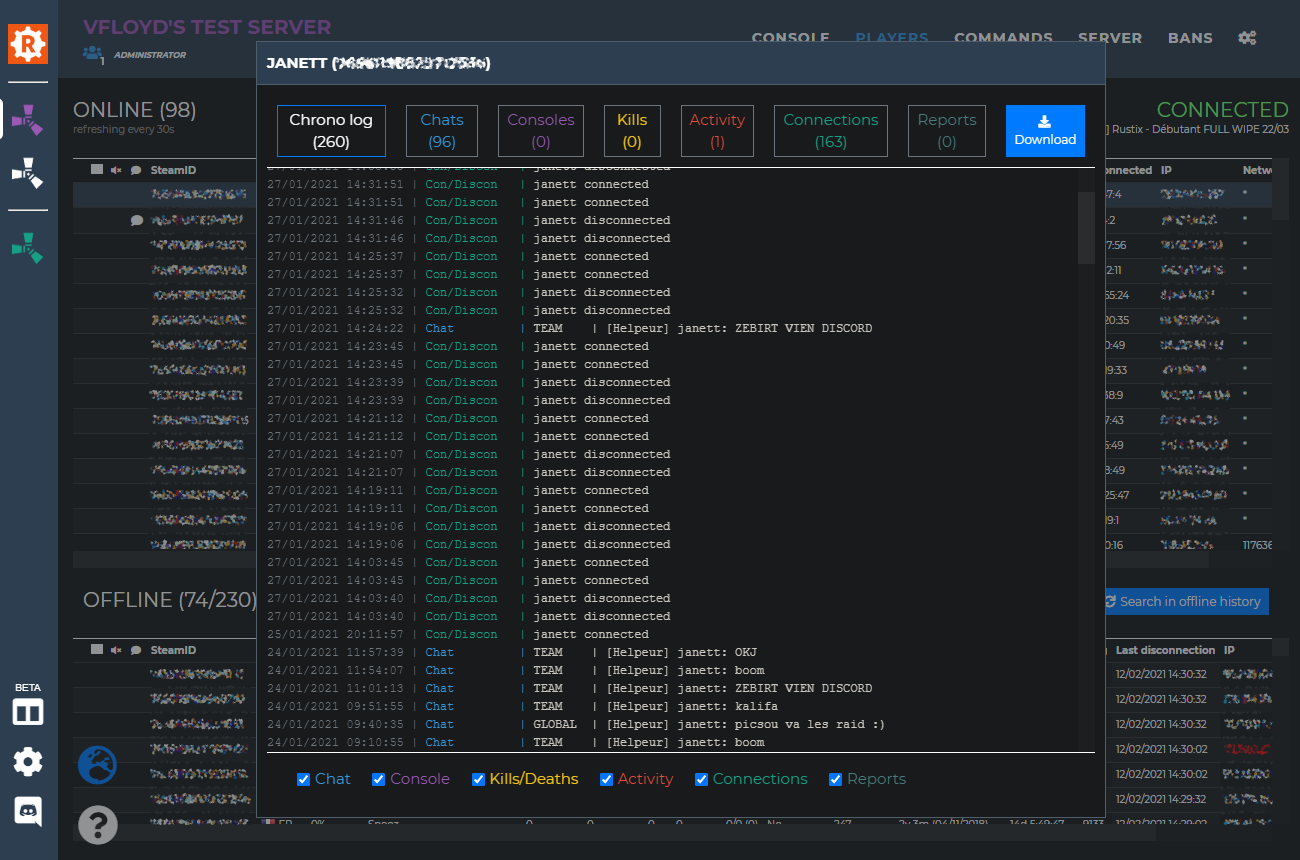
| - Improved UI by fixing the players table headers so they write the column's labels on one line. - Dramatically improved performances for people having large offline players list. - Added "Download" button to the "Player's history" dialog so you can download the current displayed tab as .txt | |
| 04/28/2020 | |
| - Added deaths notification setting - Added "Player's history" feature to see all the data related to a player that Rustadmin has recorded : chats, console logs, activity logs, kills/deaths, connections/disconnections (access from contextual player menu) - Removed "Recent chats" entry from the player contextual menu since "Player's history" includes them (see above). | |
| 04/27/2020 | |
| - Reworked statistics charts. - Fixed load/unload plugin not working. The plugins list also refreshes automatically after you load/unload/reload a plugin. - Fixed bad handling of console filters not having a valid regular expression format. | |
| 04/24/2020 | |
| - Added FTP implementation to allow changing the content of the server.cfg file of your server. | |
| 04/20/2020 | |
| - Added new subtab "Plugins" in "Server" tab. Allows you to see your full plugins list, their status, version, etc... You can load/unload/reload plugins from there. | |
| 04/18/2020 | |
| - Renamed tab "stats" into "server". This new tab has two subtabs (as of now): "Settings" and "Stats". - Added new subtab "Settings" in "Server" tab to allow server configuration (changing hostname, url,..., many more are coming in the next days). - Added the possibility to search through the activity console. - Fixed activity console showing moderators' keys instead of their names. | |
| 04/17/2020 | |
| - Added new console panel to trace the activity of rustadmin. This new console shows the events occuring on your server and initiated by rustadmin itself or by the users (Admin and moderators) connected to it. - Added new setting to reset the player's time played on your server. Check it out in settings tab, "data managment" section. | |
| 04/15/2020 | |
| - Added IP bans feature. | |
| 04/12/2020 | |
| - Fixed UI layout on mobile version. | |
| 04/10/2020 | |
| - Added setting to autokick players with high ping. - Added setting to autokick players using family shared accounts or check for their bans. - Added the number of days since last player's ban in the VAC Bans column. - Rustadmin Online can now connect through most of the proxies used in enterprises. | |
| 04/09/2020 | |
| - Added 5 new items to give. | |
| 04/08/2020 | |
| - Wrote some necessary documentation about scheduled and triggered commands. Check the marks. More is to come. | |
| 04/06/2020 | |
| - Implemented items kit to use with the give feature. - Implemented give items feature (access from contextual player menu). Warning, you must set a specific permission for moderators if you want them to use it! - Implemented notification option when a player writes "admin" in the chat. Can be enabled from the settings tab. | |
| 04/05/2020 | |
| - Fixed console filters disapearing. | |
| 04/03/2020 | |
| - Implemented anticheat whitelist. People listed won't be autobanned by anticheat rules. | |
| 04/02/2020 | |
| - Fixed moderators permissions not correctly applied. | |
| 04/01/2020 | |
| - Implemented player mute/unmute (access from contextual player menu) - Moderators with 'custom cmd" right can now create/delete scheduled and triggered commands. | |
| 03/30/2020 | |
| - Implemented chat and console search. - Added new setting to change the font size. | |
| 03/24/2020 | |
| - Implemented triggered commands (access from Commands tab) | |
| 03/22/2020 | |
| - Implemented feature to teleport a player to another player (access from contextual player menu) | |
| 03/19/2020 | |
| - Implemented dark mode. - Fixed bad sorting for column "hours on record". - Added quick open links to go to steam and rustadmin players profiles in case they have bans. | |
| 03/17/2020 | |
| - Implemented player's networkId detection (access from contextual player menu) | |
| 03/16/2020 | |
| - Added server's title information under the "connected" state. - Fixed buggy right click on players tables. | |
| 03/13/2020 | |
| - Implemented data deletion feature. You can now reset various things (players stats, server stats, console history...) from the settings tab. | |
| 03/12/2020 | |
| - Added light players list in console tab. | |
| 03/11/2020 | |
| - Added FPS graph and Entities graph in stats tab. | |
| 03/09/2020 | |
| - Implemented whitelist server mode. - Fixed scientist kills being taken into account for players's KD calculation. | |
| 03/05/2020 | |
| - Implemented player markers and player comments (access from contextual player menu) - Added IP column to Bans tab. - Added a contextual menu on chat lines to quickly copy the steamID of a player. | |
| 03/04/2020 | |
| - Smartphone and mobile application layout enhanced. | |
| 03/03/2020 | |
| - Added column to display player's K/D. | |
| 02/28/2020 | |
| - Implemented console filters. | |
| 02/26/2020 | |
| - Added detailed statistics about players kills/deaths (access from contextual player menu). | |
| 02/21/2020 | |
| - Implemented scheduled commands. | |
| 02/19/2020 | |
| - Implemented timed bans (access from contextual player menu). | |
| 02/17/2020 | |
| - Rustadmin Online launch. | |
 Rustadmin ONLINE Rustadmin Free
Creating an account allows you to register your server(s). Once a server is associated with your account and validated you can start sharing your bans with the community as well as purchasing a 24/7 Rustadmin Online instance. The Rustadmin bans sharing system is very powerful to fight against cheaters and toxic players. When a player is banned from a server and the admin decides to share his ban then anybody else having this player on his server is able to see how many times he got banned from other servers and why.
You can contact me via  or by sending me an email with the form below.
I've created Rustadmin in 2014 for my own usage and started to release it in 2015. I had no idea at this point that it would become such a widely used RCON tool and I have been amazed by people I met through this program. Thank you everyone for your support and your kindness, working with server admins is a real pleasure and I'm happy to help people managing their servers.
I don't play Rust anymore (since 2017) but I do still maintain Rustadmin and try to implement the majority of all your requested features.